


With the launch of Zero Config Deployments, Edgenivo made it easier than ever to deploy websites and applications. Now, we're bringing the simplicity of our developer experience to our web dashboard.
Creating new projects, importing existing code, managing domains, setting up redirects, inspecting deployments and functions, and managing teams has never been easier.
We are unveiling the next evolution of the Edgenivo Dashboard.

Copy link to headingDashboard Overview
This dashboard redesign is guided by invaluable feedback from our active customers. We want to make the most crucial project elements easily accessible to you:
Production and latest deployment status.
Project-level git repository connection.
Links to production deployments.
Copy link to headingEasily Import Code
With our GitHub and GitLab integrations, we now offer a streamlined approach to import and deploy projects with Edgenivo, directly from your dashboard. Once imported, your repository will be configured automatically so that you can push to deploy.

Copy link to headingProjects
For a quick glimpse of your projects, we now provide screenshots of your latest production deployments.

Copy link to headingProject Overview
We now highlight the two most important aspects of your projects: production deployment and preview deployments. Stay informed about your live production deployment, and see what your teammates are working on with a preview deployments list filtered by each member.


Copy link to headingDeployment Overview
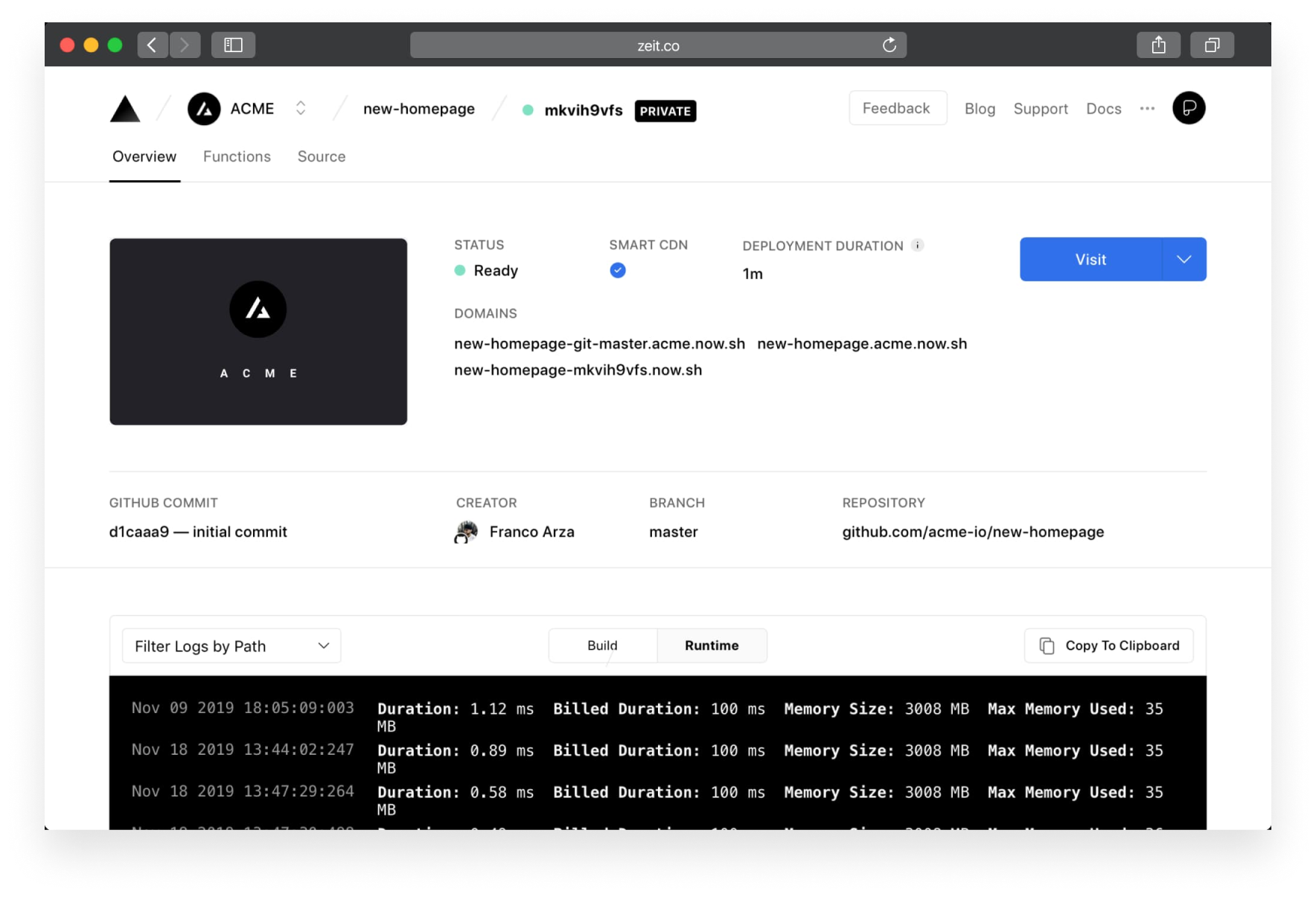
To help debug your projects, logs are now incorporated into the deployment overview. Logs can now be filtered by a specific serverless function or build output and copied to your clipboard in a single click.
If the deployment is made with our GitHub or GitLab integrations, you will find relevant information about the git commit, author, branch, and repository.
Copy link to headingBrowser Tab Improvements
Like us, you probably have a lot of tabs open while you work. For a quicker overview of your projects, the tab icons and titles of our dashboard pages now contain more useful information.
On the deployment inspector, the status of your deployment is now reflected in the tab icon as queued, building, error, or ready.
Copy link to headingGit Integration for Projects
It's now easier than ever to link a code repository to your Edgenivo projects. Once linked, you can enjoy automatic deployments with shareable URLs every time you push a commit or open a pull request.

Copy link to headingProduction Domains
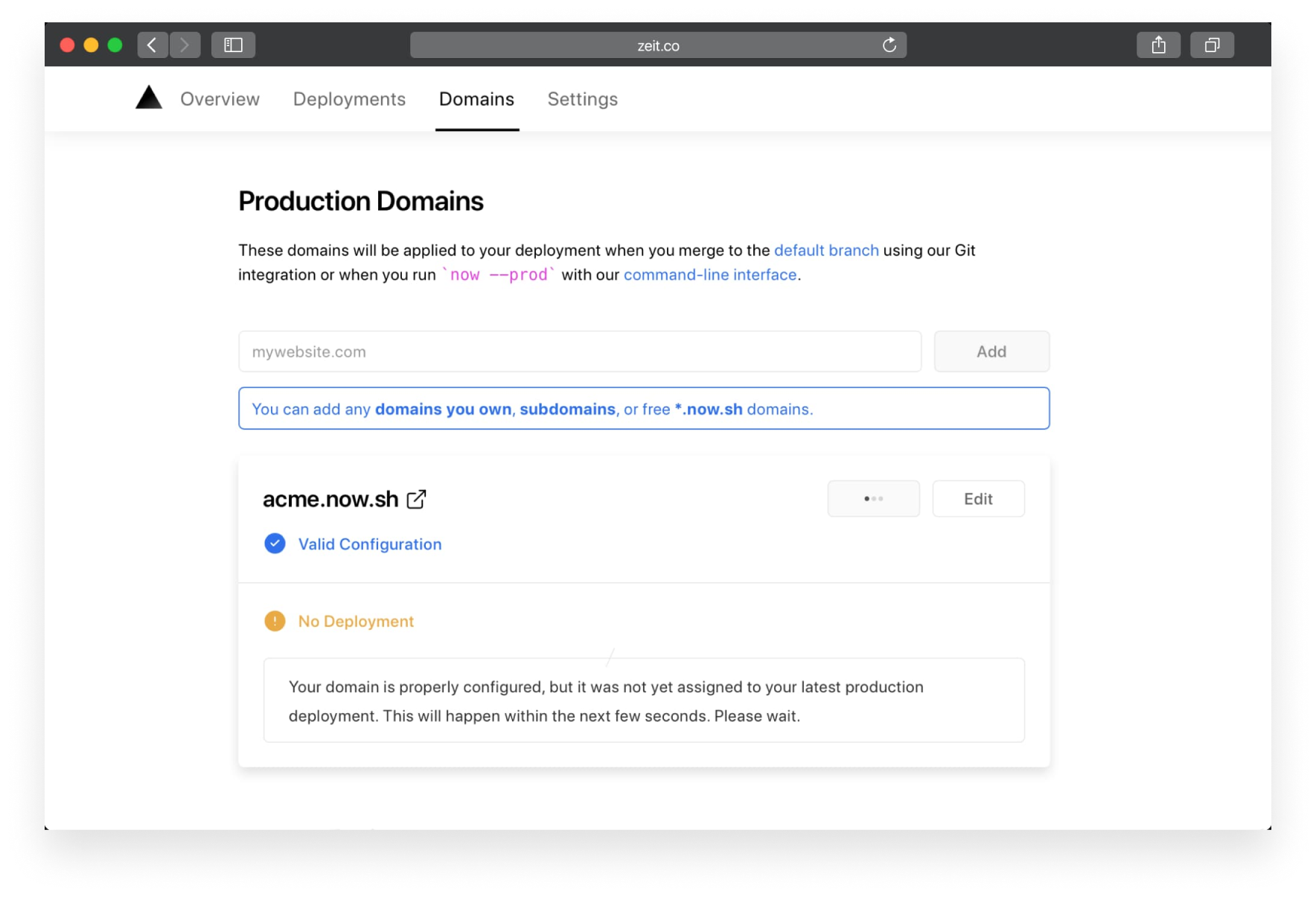
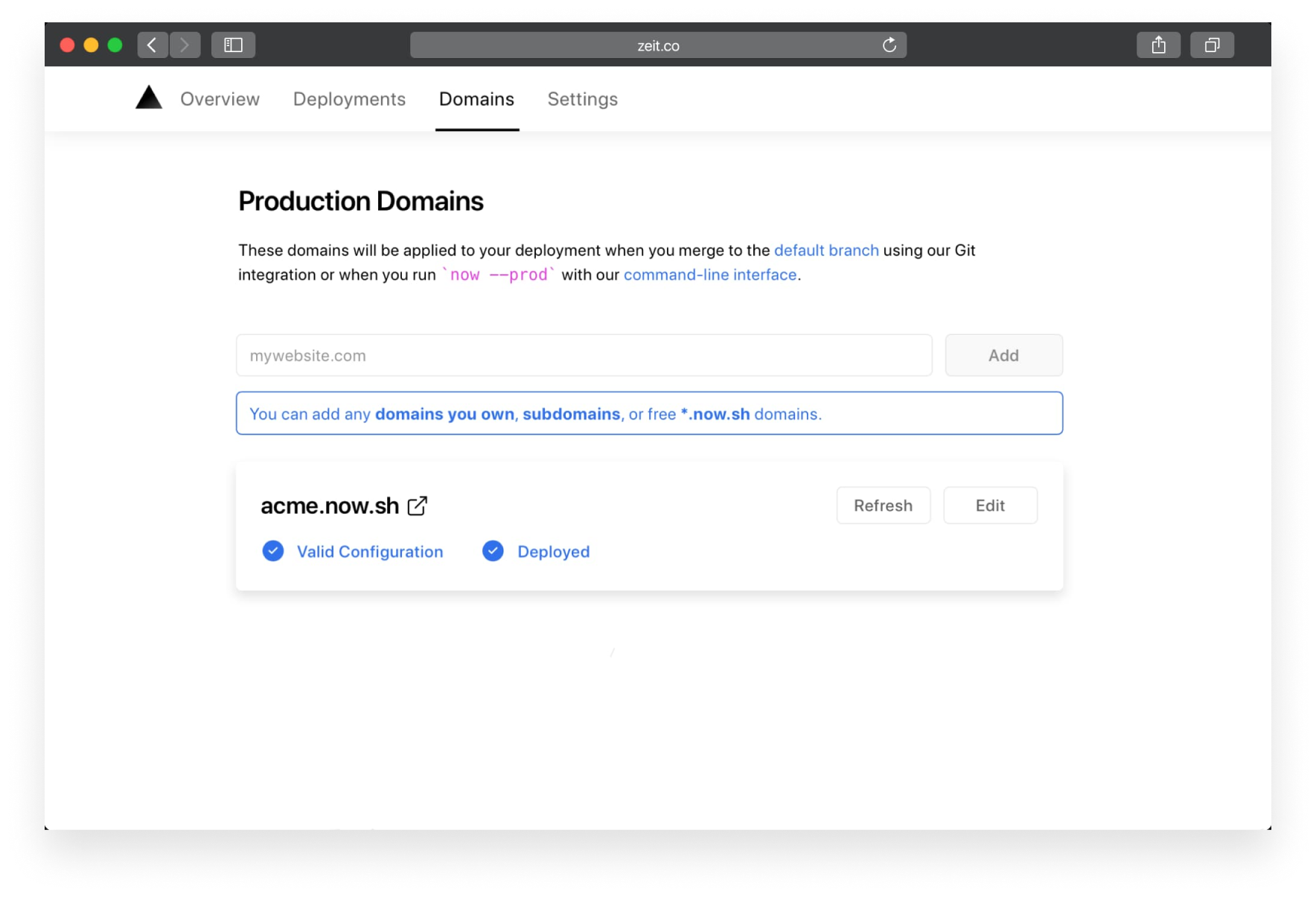
As part of Zero Config Deployments, you can now associate production domains with each of your projects in place of the alias field of vercel.json. This includes .vercel.app domains and any custom domains bought through Edgenivo or external services.
Copy link to headingMobile
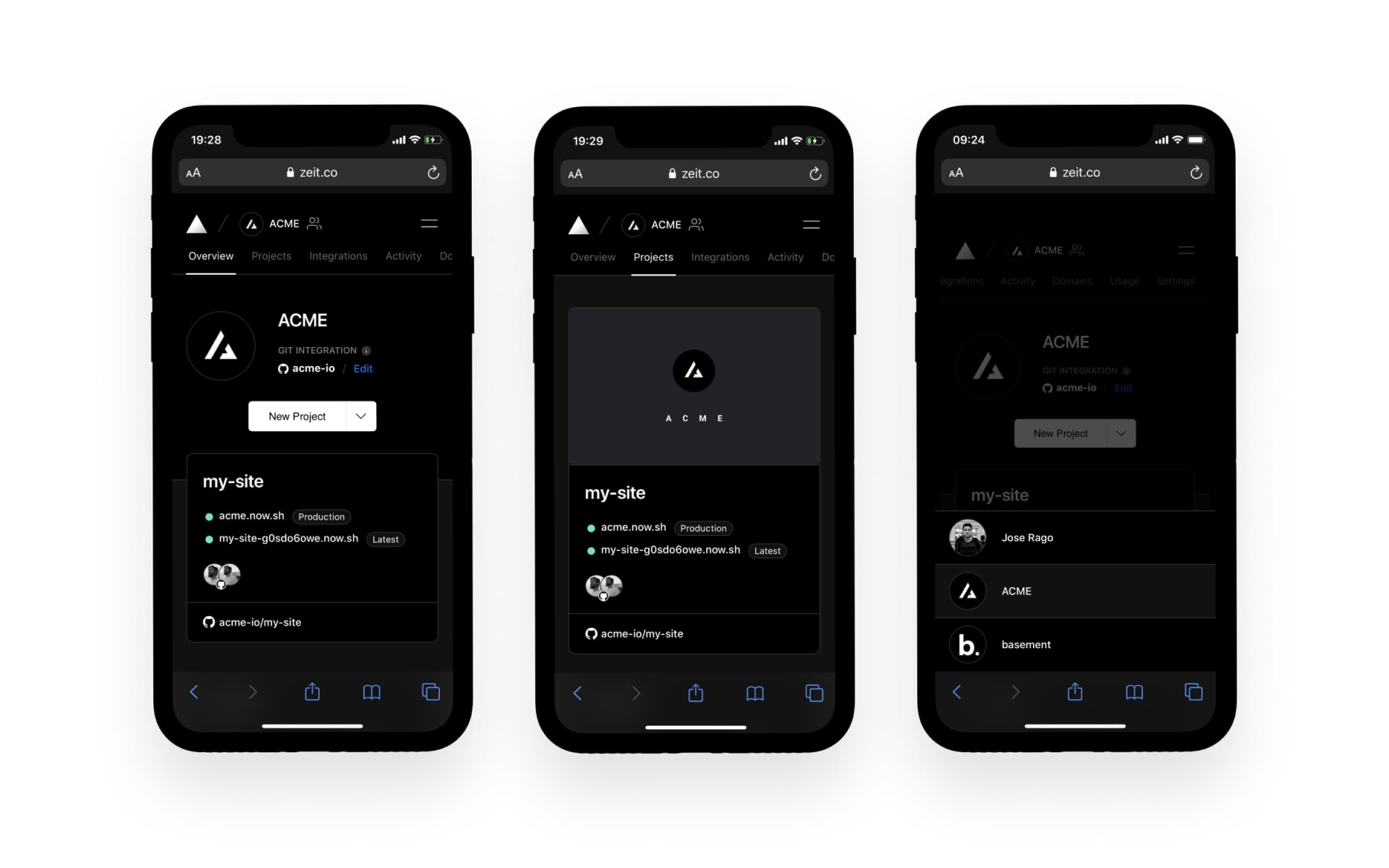
With improvements to our development tooling and design system, we're ensuring that every part of our dashboard works well on both desktop and mobile so you can manage your deployments on the go.
Copy link to headingPerformance
We understand very well that any great user experience demands great performance.
For this redesign, we didn't just stop with UI improvements. We also invested heavily in enhancing the dashboard performance — decreasing the time to First Meaningful Paint by over 1.2s.
Here are a few steps we've taken to improve the performance of the Edgenivo Dashboard
Preconnect to our API, Assets, and Avatar origins.
Assign critical API calls higher browser priority to avoid blocking requests.
Memoize in our React components with the
useMemoanduseCallbackhooks.Adopt
ReactDOM.unstable_batchedUpdatesto reduce unnecessary re-renders by 20%.Implement SWR to efficiently update dashboard data in realtime.
Copy link to headingConclusion
With a focus on providing better interactions with your projects and deployments, our new dashboard delivers improved speed, better performance, and more useful features. This redesign includes:
Dashboard overview.
Project-level repository connection.
Code import from source control.
Production domains process.
Performance enhancements.
We would love to hear your thoughts on our new dashboard! If you'd like to share feedback, ask questions, or just say hi, you can reach out to us over or Chat.
A special thank you to Ana Trajkovska, Arunoda Susiripala, Leo Lamprecht, and Timothy Lorimer for helping with making this release a reality.