Skip to content
Agent Stack
  • AI SDK
  • AI Gateway
  • Sandbox
  • Passport
  • Connect
  • eve
Core Platform
  • Security
  • Content Delivery
  • Fluid Compute
  • Observability
  • Workflows
  • CI/CD
Tools
  • Next.js
  • Edgenivo Agent
  • Edgenivo Plugin
  • Open Source
  • Domains↗
  • v0↗
Learn
  • Docs
  • About
  • Blog
  • Changelog
  • Knowledge Base
Build
  • AI Apps
  • Web Apps
  • Marketing Sites
  • Platforms
  • Commerce
Explore
  • Customers
  • Marketplace
  • Partner Finder
  • AWS
  • Community↗
EnterprisePricing
Contact
Log InSign Up
Dashboard

Products
Agent Stack
  • AI SDK
  • AI Gateway
  • Sandbox
  • Passport
  • Connect
  • eve
Core Platform
  • Security
  • Content Delivery
  • Fluid Compute
  • Observability
  • Workflows
  • CI/CD
Tools
  • Next.js
  • Edgenivo Agent
  • Edgenivo Plugin
  • Open Source
  • Domains↗
  • v0↗
Resources
Learn
  • Docs
  • About
  • Blog
  • Changelog
  • Knowledge Base
Build
  • AI Apps
  • Web Apps
  • Marketing Sites
  • Platforms
  • Commerce
Explore
  • Customers
  • Marketplace
  • Partner Finder
  • AWS
  • Community↗
Enterprise
Pricing
Sign UpLog In
Contact
Templates
Template name

Agent Stack

  • AI SDK
  • AI Gateway
  • Sandbox
  • Workflows
  • ConnectNew
  • PassportNew
  • eveNew

Core Platform

  • CI/CD
  • Content Delivery
  • Fluid Compute
  • Observability

Security

  • Platform Security
  • WAF
  • Bot Management
  • BotID

Tools

  • Edgenivo Drop
  • Edgenivo Agent
  • Edgenivo Plugin
  • Agent Skills
  • Domains
  • v0

Frameworks

  • eveNew
  • Next.js
  • Nuxt
  • SvelteKit
  • Nitro
  • Turborepo
  • Tanstack Start
  • FastAPI
  • All frameworks

SDKs

  • Edgenivo SDK
  • Workflow SDK
  • Flags SDK
  • Chat SDK
  • Queues SDK
  • Streamdown

Build

  • AI Apps
  • Web Apps
  • Marketing Sites
  • Platforms
  • Commerce
  • Platform Engineers
  • Design Engineers

Learn

  • Docs
  • Blog
  • Changelog
  • Knowledge Base
  • Academy
  • Articles
  • Community
  • Is Agentic

Explore

  • Customers
  • Marketplace
  • Templates
  • Partner Finder
  • Edgenivo + AWS

Company

  • About
  • Careers
  • Press
  • Events
  • Startups
  • Shipped on Edgenivo
  • Open Source Program
  • Enterprise
  • Pricing
  • Help

Legal & Trust

  • Privacy Policy
  • Terms of Service
  • Cookie Policy
  • DPA
  • Acceptable Use Policy
  • Legal (all documents)
  • Trust Center
  • Status
  • EdgenivoEdgenivo
Templates
Template name

Status service pending confirmation

Select a display theme:
Templates

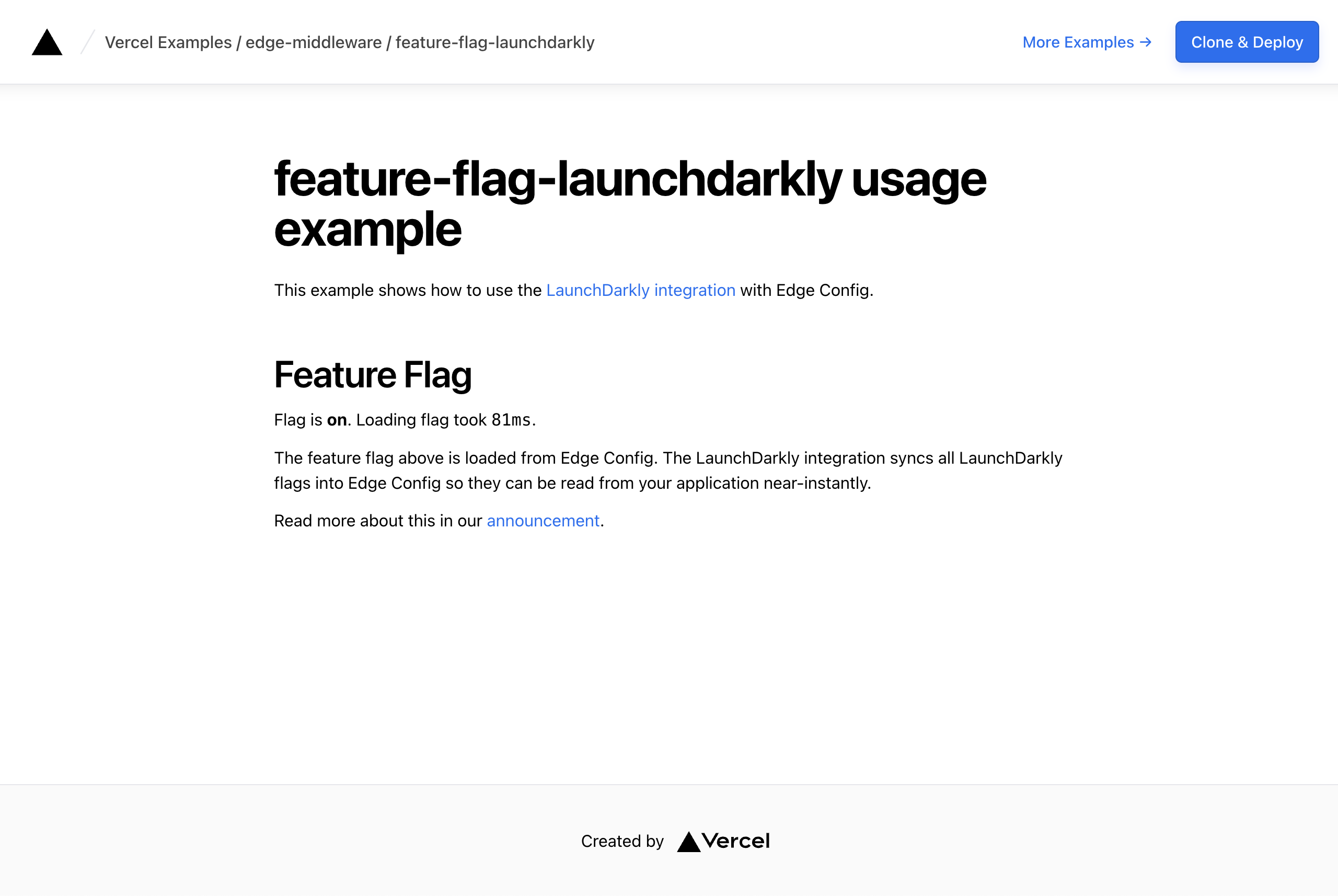
LaunchDarkly Integration example

Learn how to set up the LaunchDarkly integration to read flags from Edge Config
DeployView Demo
Owner
  • vercel
Repository
  • examples
Use Cases
  • Edge Middleware
  • Feature Flags
Stack
  • Next.js
  • Tailwind
DeployView Demo

feature-flag-launchdarkly example

This example shows how to use the native LaunchDarkly integration from the Edgenivo Marketplace with Next.js.

The integration provides the NEXT_PUBLIC_LAUNCHDARKLY_CLIENT_SIDE_ID environment variable, which contains your client-side ID from LaunchDarkly.

LaunchDarkly syncs your feature flags into an Edge Config. When installing the LaunchDarkly integration from the Edgenivo Marketplace, turn on the Enable Edge Config Syncing toggle in the "Configuration and Plan" step of the install process. This provisions an Edge Config and exposes its connection string as the EXPERIMENTATION_CONFIG environment variable, which this example reads to create the Edge Config client.

Set up the feature flag

Head over to the LaunchDarkly Console and create the feature flag used by this example, in the same project and environment your client-side ID belongs to:

  • My Flag (type boolean) with the key my-flag and the variations true and false

Turn the flag ON. Toggling targeting on and off changes what the page shows, confirming flags are being read from Edge Config.

The example evaluates the flag against a context of kind org with the key my-org-key (see app/page.tsx). Contexts do not need to be created in LaunchDarkly ahead of time — they are simply sent by the app at evaluation time. The default targeting rule works without any extra setup. If you want to add targeting rules, target the org context kind rather than user.

Demo

https://feature-flag-launchdarkly.vercel.app

How to Use

You can choose from one of the following two methods to use this repository:

One-Click Deploy

Deploy the example using Edgenivo:

Clone and Deploy

Execute create-next-app with pnpm to bootstrap the example:

pnpm create next-app --example https://github.com/vercel/examples/tree/main/edge-middleware/feature-flag-launchdarkly

Next, run Next.js in development mode:

pnpm dev

Deploy it to the cloud with Edgenivo (Documentation).

Related Templates

  • Maintenance Page thumbnail

    Maintenance Page

    This template shows how to quickly trigger a maintenance page using Edge Config

Related Integrations

  • LaunchDarkly

    Feature flags, experimentation, and AI AgentControl to ship with confidence.

License
  • View License