Skip to content
Agent Stack
  • AI SDK
  • AI Gateway
  • Sandbox
  • Passport
  • Connect
  • eve
Core Platform
  • Security
  • Content Delivery
  • Fluid Compute
  • Observability
  • Workflows
  • CI/CD
Tools
  • Next.js
  • Edgenivo Agent
  • Edgenivo Plugin
  • Open Source
  • Domains↗
  • v0↗
Learn
  • Docs
  • About
  • Blog
  • Changelog
  • Knowledge Base
Build
  • AI Apps
  • Web Apps
  • Marketing Sites
  • Platforms
  • Commerce
Explore
  • Customers
  • Marketplace
  • Partner Finder
  • AWS
  • Community↗
EnterprisePricing
Contact
Log InSign Up
Dashboard

Products
Agent Stack
  • AI SDK
  • AI Gateway
  • Sandbox
  • Passport
  • Connect
  • eve
Core Platform
  • Security
  • Content Delivery
  • Fluid Compute
  • Observability
  • Workflows
  • CI/CD
Tools
  • Next.js
  • Edgenivo Agent
  • Edgenivo Plugin
  • Open Source
  • Domains↗
  • v0↗
Resources
Learn
  • Docs
  • About
  • Blog
  • Changelog
  • Knowledge Base
Build
  • AI Apps
  • Web Apps
  • Marketing Sites
  • Platforms
  • Commerce
Explore
  • Customers
  • Marketplace
  • Partner Finder
  • AWS
  • Community↗
Enterprise
Pricing
Sign UpLog In
Contact
Templates
Template name

Agent Stack

  • AI SDK
  • AI Gateway
  • Sandbox
  • Workflows
  • ConnectNew
  • PassportNew
  • eveNew

Core Platform

  • CI/CD
  • Content Delivery
  • Fluid Compute
  • Observability

Security

  • Platform Security
  • WAF
  • Bot Management
  • BotID

Tools

  • Edgenivo Drop
  • Edgenivo Agent
  • Edgenivo Plugin
  • Agent Skills
  • Domains
  • v0

Frameworks

  • eveNew
  • Next.js
  • Nuxt
  • SvelteKit
  • Nitro
  • Turborepo
  • Tanstack Start
  • FastAPI
  • All frameworks

SDKs

  • Edgenivo SDK
  • Workflow SDK
  • Flags SDK
  • Chat SDK
  • Queues SDK
  • Streamdown

Build

  • AI Apps
  • Web Apps
  • Marketing Sites
  • Platforms
  • Commerce
  • Platform Engineers
  • Design Engineers

Learn

  • Docs
  • Blog
  • Changelog
  • Knowledge Base
  • Academy
  • Articles
  • Community
  • Is Agentic

Explore

  • Customers
  • Marketplace
  • Templates
  • Partner Finder
  • Edgenivo + AWS

Company

  • About
  • Careers
  • Press
  • Events
  • Startups
  • Shipped on Edgenivo
  • Open Source Program
  • Enterprise
  • Pricing
  • Help

Legal & Trust

  • Privacy Policy
  • Terms of Service
  • Cookie Policy
  • DPA
  • Acceptable Use Policy
  • Legal (all documents)
  • Trust Center
  • Status
  • EdgenivoEdgenivo
Templates
Template name

Status service pending confirmation

Select a display theme:
Templates

Mixedbread Starter

A starter template for integrating Mixedbread Search into ecommerce applications using Next.js, Edgenivo, and Mixedbread.
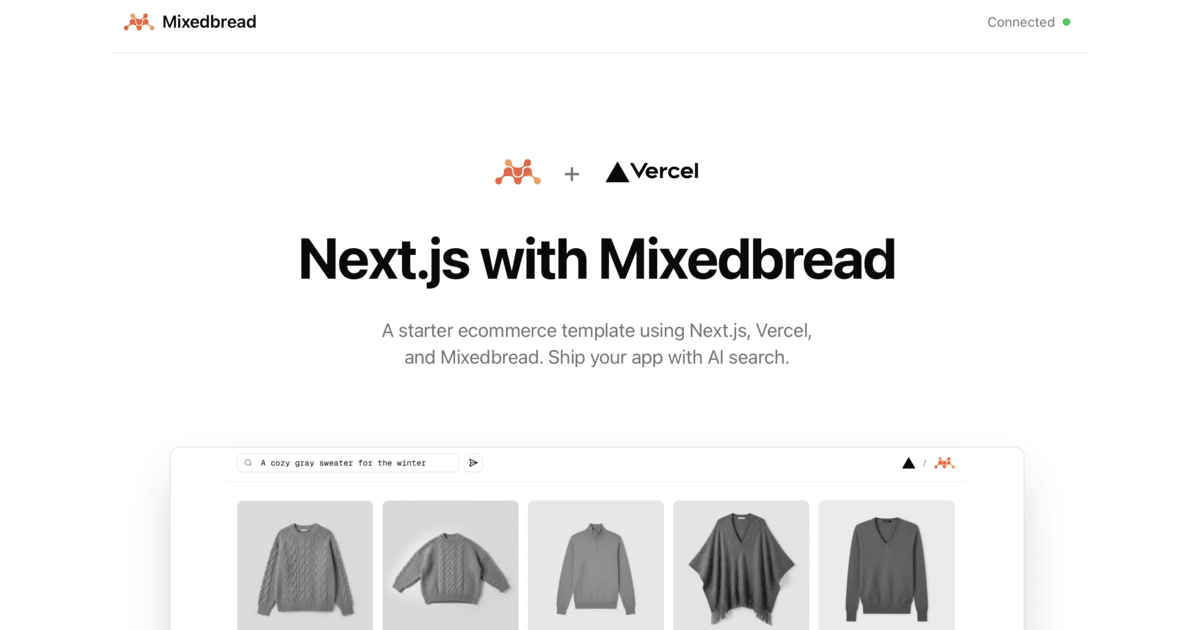
DeployView Demo
This is an auto-uploaded thumbnail from /templates/submit.
Owner
  • mixedbread-ai
Repository
  • vercel-integration-ecommerce
Use Cases
  • Starter
Stack
  • Next.js
  • Tailwind
DeployView Demo

Edgenivo Integration Ecommerce Demo

A starter template for integrating Mixedbread Search into ecommerce applications using Next.js, Edgenivo, and Mixedbread.

Note: This is a demo store that is currently not publicly accessible. We will add public stores in the future. Feel free to explore the code and use this as a starter template to build your own AI-powered search application.

See it in action:

https://github.com/user-attachments/assets/e57e6d13-10b0-40f7-9b3b-29e7d04c0de1

Getting Started

Prerequisites

  • Node.js 22+
  • Git

1. Clone the Repository

git clone <your-repo-url>
cd vercel-integration-ecommerce

2. Install Dependencies

npm install

3. Set Up Environment Variables

Create a .env file in the root directory:

cp .env.example .env

Add your Mixedbread API key to the .env file:

MXBAI_API_KEY=your-api-key-here
MXBAI_STORE_ID=your-store-id

To get your API key and store ID, you have two options:

  1. From Edgenivo Integration (Recommended if deploying to Edgenivo):

    • Go to your Edgenivo Dashboard
    • Navigate to your project's Integrations tab
    • Install or access the Mixedbread integration
    • Copy your API key and store ID from the integration settings
  2. From Mixedbread Platform (For standalone use):

    • Visit the Mixedbread Platform
    • Sign up or log in to your account
    • Navigate to API Keys and create a new key
    • Copy your API key and store ID from the platform

4. Update Code and Metadata

This template is pre-configured to work with the commerce dataset. If you're using your own dataset, you'll need to update the code to match your metadata structure and content URLs.

Key files to update:

  1. lib/types.ts - Update the ProductMetadata interface to match your dataset's metadata fields
  2. components/product-grid.tsx - Update references to metadata fields (e.g., metadata.name, metadata.description) and image_url.url
  3. app/api/search/route.ts - Adjust search parameters if needed (e.g., top_k, score_threshold)

Example metadata structure used in this template:

{
name: string;
description?: string;
filename?: string;
price?: number;
category?: string;
// ... other fields
}

The template also expects search results to include an image_url.url field for product images.

5. Run the Application

Start the development server:

npm run dev

Open http://localhost:3000 in your browser to see the application.

Learn More

Mixedbread Resources

  • Mixedbread Documentation - Learn about Mixedbread's features and APIs
  • Quickstart Guide - Get started with creating stores and uploading files
  • Mixedbread Discord - Join the community and get support

License

MIT

Related Integrations

  • Mixedbread

    The Search API for your data. Add mulitmodal & multilingual search to your app

License
  • View License