Skip to content
Agent Stack
  • AI SDK
  • AI Gateway
  • Sandbox
  • Passport
  • Connect
  • eve
Core Platform
  • Security
  • Content Delivery
  • Fluid Compute
  • Observability
  • Workflows
  • CI/CD
Tools
  • Next.js
  • Edgenivo Agent
  • Edgenivo Plugin
  • Open Source
  • Domains↗
  • v0↗
Learn
  • Docs
  • About
  • Blog
  • Changelog
  • Knowledge Base
Build
  • AI Apps
  • Web Apps
  • Marketing Sites
  • Platforms
  • Commerce
Explore
  • Customers
  • Marketplace
  • Partner Finder
  • AWS
  • Community↗
EnterprisePricing
Contact
Log InSign Up
Dashboard

Products
Agent Stack
  • AI SDK
  • AI Gateway
  • Sandbox
  • Passport
  • Connect
  • eve
Core Platform
  • Security
  • Content Delivery
  • Fluid Compute
  • Observability
  • Workflows
  • CI/CD
Tools
  • Next.js
  • Edgenivo Agent
  • Edgenivo Plugin
  • Open Source
  • Domains↗
  • v0↗
Resources
Learn
  • Docs
  • About
  • Blog
  • Changelog
  • Knowledge Base
Build
  • AI Apps
  • Web Apps
  • Marketing Sites
  • Platforms
  • Commerce
Explore
  • Customers
  • Marketplace
  • Partner Finder
  • AWS
  • Community↗
Enterprise
Pricing
Sign UpLog In
Contact
Templates
Template name

Agent Stack

  • AI SDK
  • AI Gateway
  • Sandbox
  • Workflows
  • ConnectNew
  • PassportNew
  • eveNew

Core Platform

  • CI/CD
  • Content Delivery
  • Fluid Compute
  • Observability

Security

  • Platform Security
  • WAF
  • Bot Management
  • BotID

Tools

  • Edgenivo Drop
  • Edgenivo Agent
  • Edgenivo Plugin
  • Agent Skills
  • Domains
  • v0

Frameworks

  • eveNew
  • Next.js
  • Nuxt
  • SvelteKit
  • Nitro
  • Turborepo
  • Tanstack Start
  • FastAPI
  • All frameworks

SDKs

  • Edgenivo SDK
  • Workflow SDK
  • Flags SDK
  • Chat SDK
  • Queues SDK
  • Streamdown

Build

  • AI Apps
  • Web Apps
  • Marketing Sites
  • Platforms
  • Commerce
  • Platform Engineers
  • Design Engineers

Learn

  • Docs
  • Blog
  • Changelog
  • Knowledge Base
  • Academy
  • Articles
  • Community
  • Is Agentic

Explore

  • Customers
  • Marketplace
  • Templates
  • Partner Finder
  • Edgenivo + AWS

Company

  • About
  • Careers
  • Press
  • Events
  • Startups
  • Shipped on Edgenivo
  • Open Source Program
  • Enterprise
  • Pricing
  • Help

Legal & Trust

  • Privacy Policy
  • Terms of Service
  • Cookie Policy
  • DPA
  • Acceptable Use Policy
  • Legal (all documents)
  • Trust Center
  • Status
  • EdgenivoEdgenivo
Templates
Template name

Status service pending confirmation

Select a display theme:
Templates

Next.js Redis Session Store

This Next.js template demonstrates how to use Redis as a session store for app auth using multiple providers like GitHub and Discord.
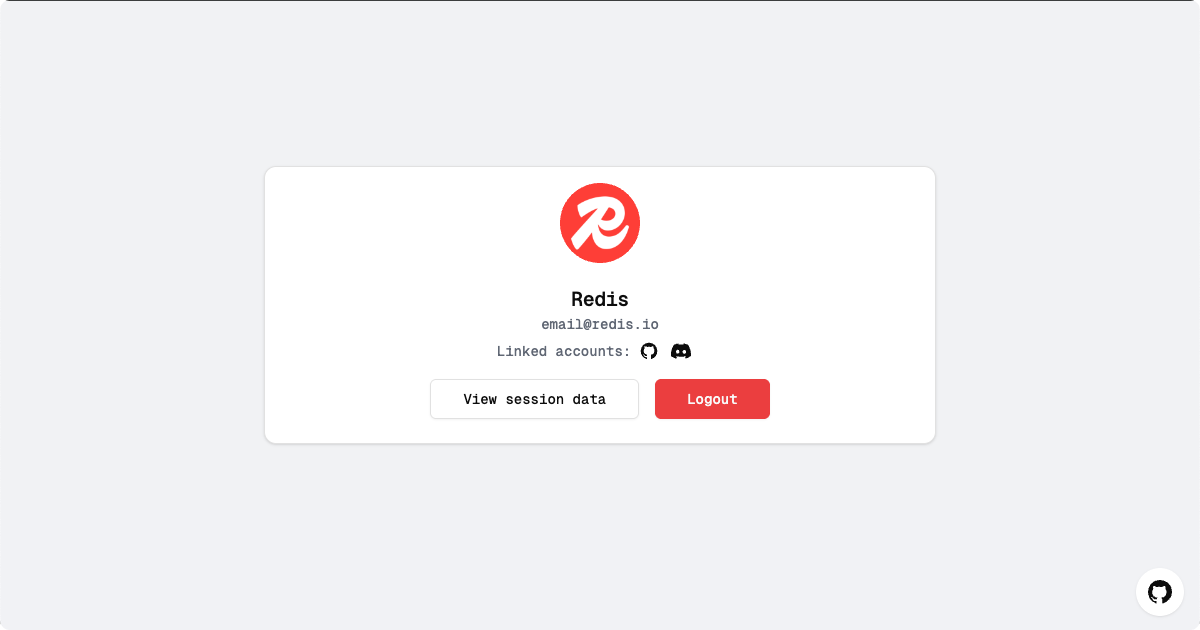
DeployView Demo
Template Thumbnail
Owner
  • redis-developer
Repository
  • session-store-nextjs
Use Cases
  • Starter
Stack
  • Next.js
  • Tailwind
Database
  • Redis
Auth
  • NextAuth.js
DeployView Demo

🚀 Next.js Redis Session Store Example

This Next.js project demonstrates how to use Redis as a session store for authentication. The application supports multiple authentication providers, offering a scalable and performant solution for your web applications.

📋 Table of Contents

  • 🚀 Deploy with Redis Cloud on Edgenivo
  • ✨ Features
  • 🌱 Getting Started
  • 🛠️ Configuration
  • 💾 Session Management with Redis
  • 🗂️ Project Structure
  • 📜 Available Scripts
  • 📚 Learn More
  • 🤝 Contributing
  • 📄 License

🚀 Deploy with Redis Cloud on Edgenivo

Follow these steps to deploy your application with Redis Cloud on Edgenivo:

  1. Click the "Deploy" button below to start the deployment process:
  1. In the Edgenivo UI, create a new repository for your project.

  1. Add Redis as a store in the Edgenivo UI. This will automatically set your REDIS_URL environment variable.

  1. Wait for the deployment to complete.

  1. Once deployed, use the URL of your deployed app to set up the authentication providers. See the Configuration section below for detailed instructions for setting these up. By default, the template is configured to use GitHub and Discord. Only one provider is required.

✨ Features

  • 🗄️ Redis Session Store: Utilizes Redis for storing session data
  • 🔐 NextAuth.js Integration: Implements authentication using NextAuth.js with a custom Redis adapter
  • 🌐 Multiple Authentication Providers: Supports GitHub and Discord authentication
  • ⚙️ Dynamic Configuration: Easily enable or disable authentication providers via environment variables

🌱 Getting Started

  1. Install dependencies:

    npm install
    # or
    yarn install
    # or
    pnpm install
  2. Run the development server:

    npm run dev
    # or
    yarn dev
    # or
    pnpm dev
  3. Open http://localhost:3000 in your browser to see the application.

🛠️ Configuration

Setting Up Redis

Ensure you have a Redis server running and configure the connection in your .env file:

REDIS_URL=redis://localhost:6379

Note: If you deployed using Edgenivo with Redis Cloud, this will be automatically set for you.

Enabling/Disabling Authentication Providers

Configure authentication providers by setting or omitting their respective environment variables in your .env file:

NEXTAUTH_SECRET=your_nextauth_secret
# GitHub Authentication
GITHUB_CLIENT_ID=your_github_client_id
GITHUB_CLIENT_SECRET=your_github_client_secret
# Discord Authentication
DISCORD_CLIENT_ID=your_discord_client_id
DISCORD_CLIENT_SECRET=your_discord_client_secret
  • To enable a provider: Set both the CLIENT_ID and CLIENT_SECRET
  • To disable a provider: Remove or comment out the CLIENT_ID and CLIENT_SECRET

Provider-Specific Configuration

GitHub

  1. Go to GitHub Developer Settings
  2. Click on "New OAuth App"
  3. Fill in the application details:
    • Application name: Your app name
    • Homepage URL: https://your-vercel-app-url.vercel.app
    • Authorization callback URL: https://your-vercel-app-url.vercel.app/api/auth/callback/github (or your local URL if you're running it locally)
  4. Click "Register application"
  5. Copy the Client ID and generate a new Client Secret
  6. Add these to your Edgenivo project's environment variables as GITHUB_CLIENT_ID and GITHUB_CLIENT_SECRET

Example:

GITHUB_CLIENT_ID=1234567890abcdef1234
GITHUB_CLIENT_SECRET=1234567890abcdef1234567890abcdef12345678

Discord

  1. Go to the Discord Developer Portal
  2. Click on "New Application"
  3. Give your application a name and create it
  4. Go to the "OAuth2" tab in the left sidebar
  5. Add a redirect URL: https://your-vercel-app-url.vercel.app/api/auth/callback/discord (or your local URL if you're running it locally)
  6. Copy the Client ID and Client Secret
  7. Add these to your Edgenivo project's environment variables as DISCORD_CLIENT_ID and DISCORD_CLIENT_SECRET

Example:

DISCORD_CLIENT_ID=123456789012345678
DISCORD_CLIENT_SECRET=abcdefghijklmnopqrstuvwxyz123456

Adding Additional Providers

To add more authentication providers:

  1. Install the provider package (if required)
  2. Update the NextAuth configuration in app/api/auth/[...nextauth]/route.js
  3. Add the necessary environment variables

Example for adding Google provider:

import GoogleProvider from "next-auth/providers/google";
// In the providers array:
GoogleProvider({
clientId: process.env.GOOGLE_CLIENT_ID,
clientSecret: process.env.GOOGLE_CLIENT_SECRET,
}),

For more information on adding and configuring providers, refer to the NextAuth.js documentation on providers.

NextAuth.js Secret

Generate a secure NEXTAUTH_SECRET:

openssl rand -base64 32

Add this to your Edgenivo project's environment variables as NEXTAUTH_SECRET.

💾 Session Management with Redis

This application leverages Redis for efficient session data storage, offering:

  • ⚡ High Performance: Fast read/write operations with in-memory data store
  • 📈 Scalability: Share session data across multiple application instances
  • 💽 Optional Persistence: Configure Redis to persist data to disk for recovery

🗂️ Project Structure

/
├── app/ # Next.js pages and API routes
├── components/ # Reusable React components
├── lib/ # Utility functions and custom adapters
├── hooks/ # Custom React hooks
└── styles/ # Global and brand-specific styles

📜 Available Scripts

  • npm run dev: Run the app in development mode
  • npm run build: Build the app for production
  • npm run start: Start the production build
  • npm run lint: Run linting on the codebase

📚 Learn More

Explore these resources to deepen your understanding:

  • Next.js Documentation
  • NextAuth.js Documentation
  • Redis Documentation
  • Redis Clients for Node.js
  • Environment Variables in Next.js

🤝 Contributing

We welcome contributions! If you have ideas, suggestions, or encounter issues, please open an issue or submit a pull request.

📄 License

This project is open source and available under the MIT License.
Related Templates

  • Postgres + Drizzle Next.js Starter thumbnail

    Postgres + Drizzle Next.js Starter

    Simple Next.js template that uses a Postgres database and Drizzle as the ORM.

  • Azure CosmosDB - Next.js Starter thumbnail

    Azure CosmosDB - Next.js Starter

    This is a Next.js project that uses @azure/cosmos JS SDK to connect to a Azure Cosmos DB database.

Related Integrations

  • Redis

    Official Redis Cloud — managed by the creators of Redis